A few weeks ago, we introduced EdBoard as a way to turn your smartboard into a classroom command center.
Since then, EdBoard has kept growing.
And if you have only used it for a Timer or Randomizer, there is a lot more to explore.
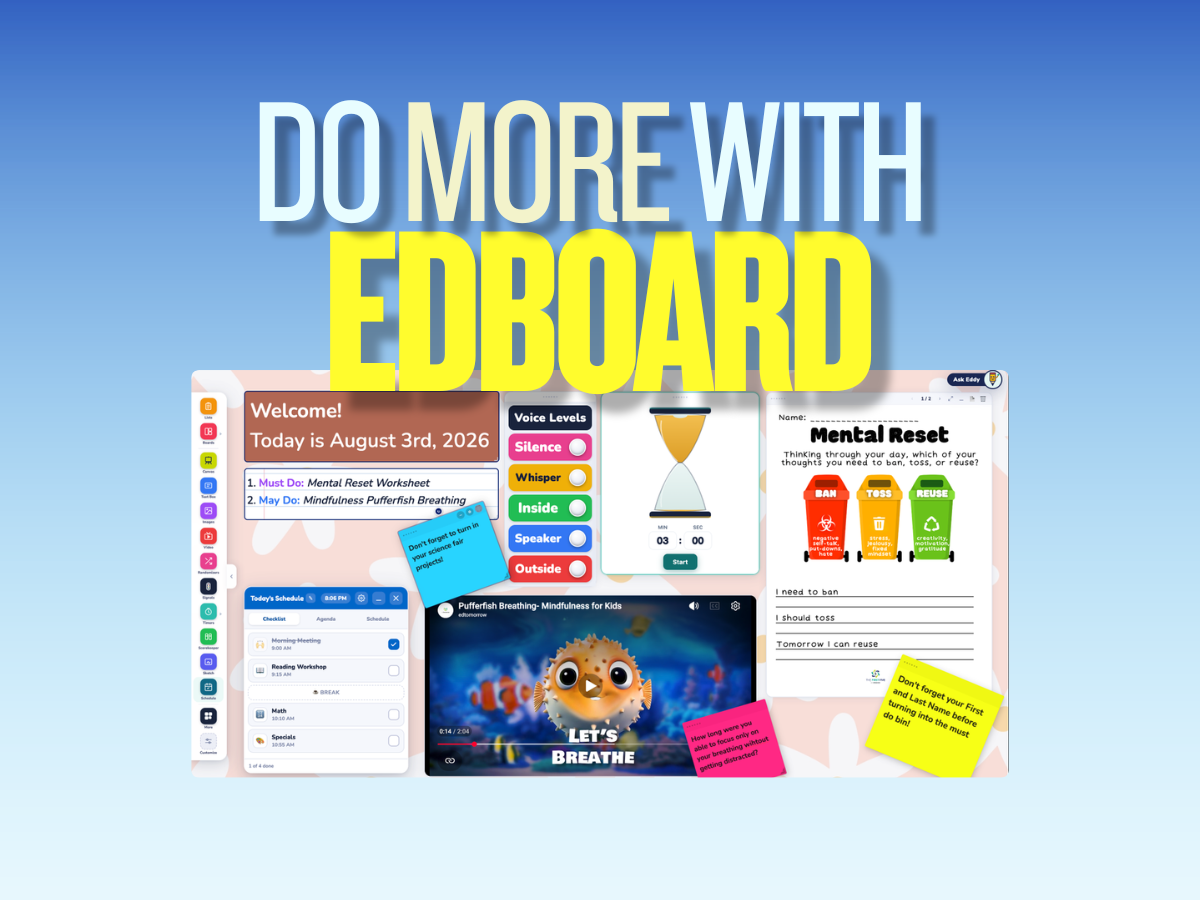
Build the Board Your Classroom Needs
EdBoard lets you bring the things you already use throughout the day into one place.
You can add:
- Timers
- Randomizers
- Spinners and Dice
- Voice Level reminders
- Today’s schedule
- Text Boxes and directions
- Polls
- Music
- Images
- PDFs
- YouTube videos
- Games
- KWL Charts
- Frayer Models
- Venn Diagrams
- T-Charts
- And more
Instead of jumping between five different tabs, you can build one board around what your class needs.
Put the First Five Right on Your Board
First Five Plus members can embed the daily First Five edition directly into EdBoard.
That opens up some fun possibilities.
Put the First Five on your board, add a Timer for a Turn and Talk, use the Randomizer to choose who shares, or add a Poll to see what the class thinks.
Your First Five and your classroom tools can all live in the same place.
A Few Ways to Try It
Build a morning board with your schedule, Voice Level, directions, and a Timer.
Embed a YouTube video beside a discussion question.
Open a PDF next to the directions students need.
Create a bell-ringer with a Text Box and Timer.
Use a Spinner or Dice to choose discussion groups or review questions.
Add a game for a quick brain break.
Keep your schedule visible so students always know what is coming next.
There isn’t really one “right” way to use EdBoard. Build the setup that works for your classroom.
Save It and Use It Again
With First Five Plus, you can unlock the unlimited EdBoard experience and save your boards to your account.
That means you can build a board on one device and open it again on another.
Create tomorrow’s board at home, save it, and pull it up on your classroom computer the next morning.
Plus members also get the full First Five Plus experience, including our ad-free website, searchable database, complete archive, and more.
Learn more about First Five Plus.
What Should We Add Next?
EdBoard is not finished.
We are constantly adding new widgets, improving existing ones, and looking for ways to make EdBoard even more useful throughout your day.
So we want to hear from you.
What do you wish EdBoard could do?
What tool do you currently have to open another website for?
What widget would make your day easier?
Send us your ideas. Some of our best updates start with suggestions from educators using these tools every day.
Open EdBoard and start building.
-Edtomorrow Team
